MotionUI
/
Mister Horse
MotionUI vs Mister Horse: Built for the way interfaces move.
Mister Horse has been helping motion designers since 2012, with a huge library for all kinds of video work. MotionUI takes a more focused approach: helping you turn your own interface designs into polished animation.
Figma
After Effects

Claude Code

Codex
Which one fits your work?
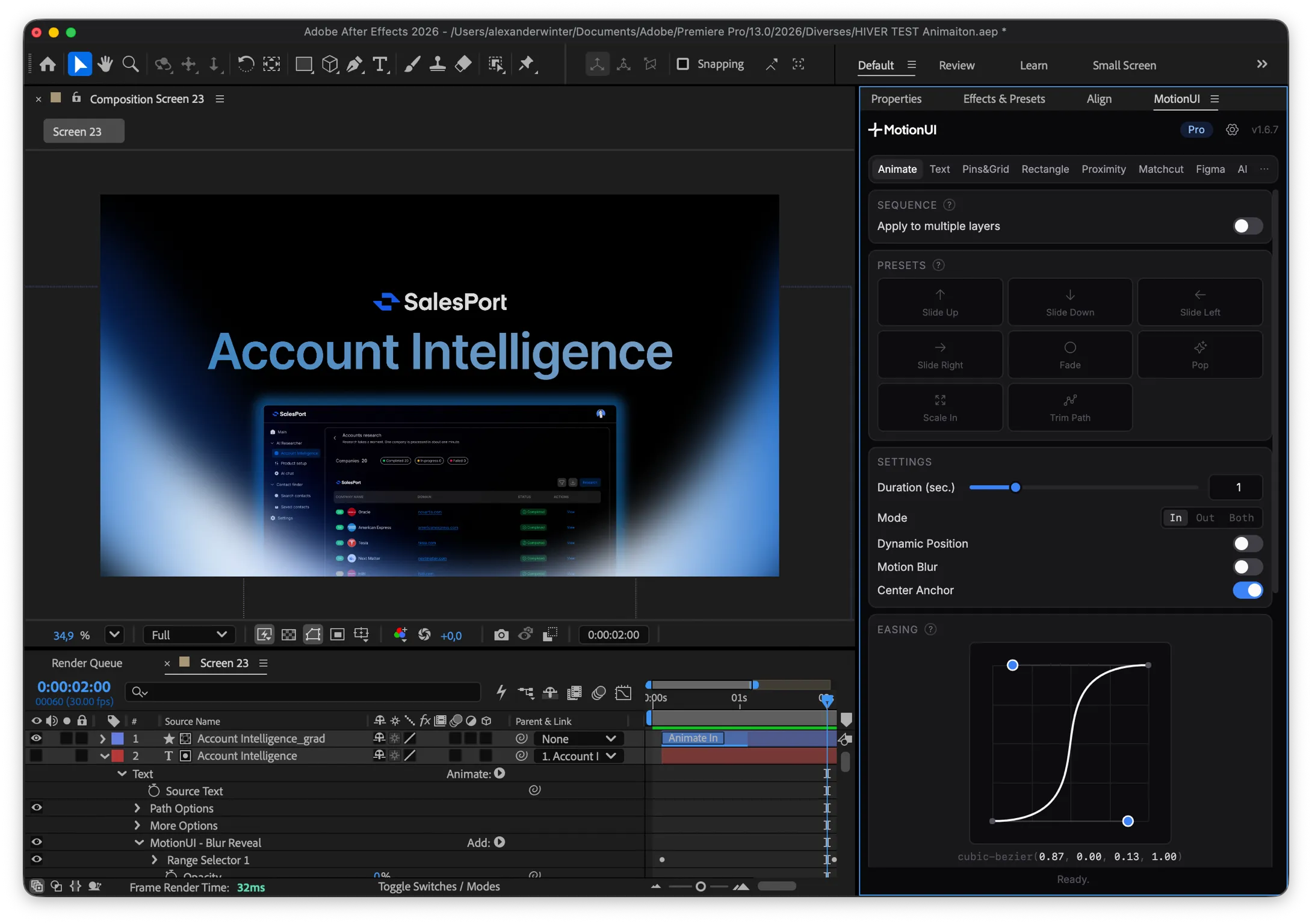
Choose MotionUI when your work starts with a product interface. Bring your Figma design into After Effects, shape the movement with dedicated UI tools, and direct the same project through Claude Code or Codex.
Choose Mister Horse when you want a broad creative library. Animation Composer gives you a well-established home for presets, titles and ready-made assets across After Effects and Premiere.
MotionUI vs Mister Horse: a closer look at the features
Feature
MotionUI
Mister Horse
Choose based on
Creative focus
A focused toolkit for modern product demos and UI animation.
A broad motion design library, developed since 2012.
The kind of work you make most often.
Layer animation presets
Fade, slide, pop, scale and trim-path controls for your own layers.
A Motion Presets pack with 1,000+ animations.
Focused controls or a much larger preset library.
Text animation
10 editable effects, with control by character, word or line.
A Text Presets pack with 1,000+ animations.
Interface typography or a wider range of text styles.
Keyframe easing
Tune the movement in the same panel as your UI tools.
Keyframe Wingman gives quick control over easing.
The controls that fit your animation workflow.
Transitions
Matchcut connects your scenes with adjustable movement and blur.
A wide choice of ready-made transition packs.
Connecting product screens or adding a finished transition style.
Figma to After Effects
Send frames or selections and keep supported layers editable.
Whether your animation starts with an existing Figma design.
Cursor proximity rigs
Make interface elements react to a cursor’s distance.
Building hover interactions around your own interface.
Claude Code and Codex control
Let your agent use MotionUI tools in an editable After Effects project.
Directing changes with instructions as well as the panel.
Stock graphics and sounds
Titles, illustrations, graphic elements and sound effects.
A ready-made asset library for varied video projects.
Premiere plugin
Animation Composer is also available for Premiere.
Whether your main editing app is Premiere or After Effects.
Mac and Windows
The same MotionUI workflow on both platforms.
Animation Composer is available for both platforms.
Your preferred workstation.
✓ Included. × Not included or not listed in the reviewed product documentation. Mister Horse entries refer to its wider ecosystem; some packs require a paid plan. Reviewed 20 September 2026.
Figma import, built for your next scene
Your workflow
How MotionUI helps
Send just what you need
Transfer a selection into your open composition and continue where you left off.
Start with the right canvas
Create a new After Effects composition in the size of your Figma frame.
Keep the important parts editable
Work with supported text and vector layers directly in After Effects.
Keep complex artwork intact
Rasterize a selection when you want its exact appearance as a flat image.
Choose how your layers arrive
Use individual layers for control or keep groups together as precomps.
Find your imports again
Keep imported compositions and assets organised by Figma file and frame.
Choose MotionUI for a workflow
built around UI animation
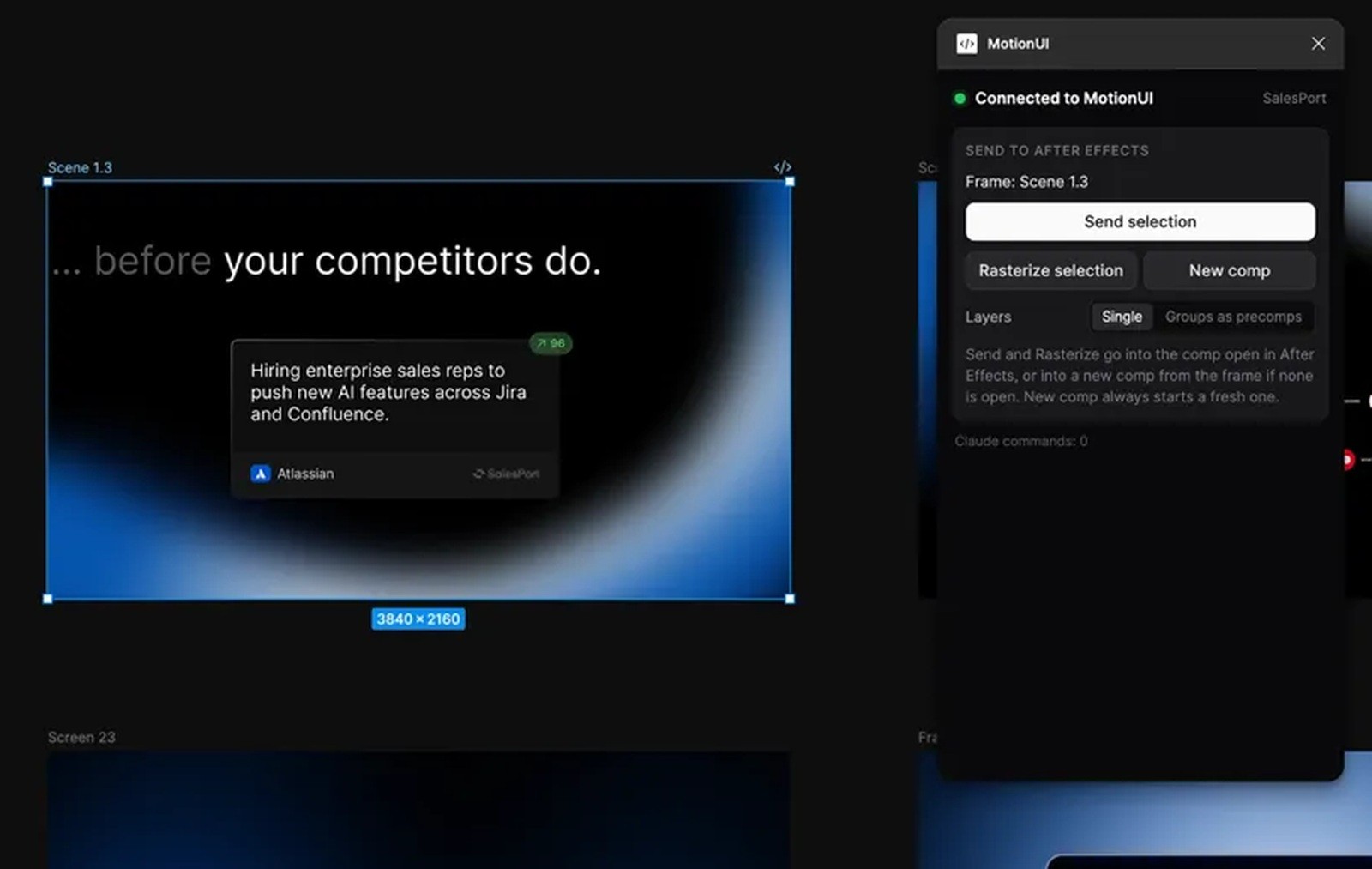
Design in Figma. Keep moving in After Effects.
Bring your components into the scene you want to animate, with supported layers ready to edit.

Direct the animation through Claude Code.
Describe the change you want and let Claude Code use MotionUI to make it in your After Effects or Premiere Pro project.

Make every interaction feel intentional.
Build cursor interactions that make the action easy to follow.

Give your interface a better rhythm.
Sequence your layers so each element arrives at the right moment.
The tools behind your next UI animation
01
Presets that fit your interface
Give your layers a clear entrance with fade, slide, pop, scale and trim-path presets.
02
Timing that guides the eye
Sequence layers by their position so each part of your interface arrives when it should.
03
Easing with the right feel
Adjust the acceleration and settling of your animation without leaving the MotionUI panel.
04
Text you can keep editing
Apply 10 text effects by character, word or line, then refine the timing as your message changes.
05
Pins & Grid
Highlight the structure of your design with editable pins, grids and guide overlays.
06
Flexible rectangle rigs
Build panels that expand from the right origin and adapt as your layout changes.
07
Cursor and Proximity
Show how an interface responds by linking its movement to a cursor or another effector.
08
Matchcut transitions
Connect scenes with adjustable slides, zooms and blur that carry the viewer through your demo.
09
Text gradients
Give editable text a gradient treatment while keeping it part of your After Effects composition.
10
Camera paths through AI
Direct the focus and framing through MotionUI’s AI tools, then refine the resulting keyframes in After Effects.
An AI workflow you can keep refining.
AI is a central part of MotionUI’s direction. Today, it already connects your instructions to editable animation, including camera paths through the AI tools. You can also use the plugin manually whenever you prefer.
Frequently asked
questions
Is MotionUI trying to replace everything in Mister Horse?
No. Mister Horse is a broader library for many kinds of motion design and video editing. MotionUI focuses on animating your own interfaces, with Figma transfer and direct control through Claude Code and Codex.
What does MotionUI add after a Figma import?
Once your supported layers arrive in After Effects, you can animate them with presets, text effects and sequencing. Cursor tools, Proximity, rectangle rigs and Matchcut help turn that design into a product demo.
What can the AI actually control?
Do I need AI to use MotionUI?
What do I need to get started?
Install MotionUI on macOS or Windows and use it with After Effects. Add the MotionUI Figma plugin when you want to transfer designs. Pro includes the MotionUI tools, Figma import, AI controls and MotionUI for Premiere. Adobe, Figma and any AI provider subscriptions are separate.
Your next animation starts here.

Bring your interface to life.
MotionUI