MotionUI
/
UXLink
MotionUI vs UXLink:
Go from Figma to finished motion.
MotionUI and UXLink both bring Figma designs into After Effects. MotionUI combines that import with tools built for UI animation, so you can take your design straight into motion. Work in the panel or direct the same tools through Claude Code and Codex.

Figma
After Effects

Claude Code

Codex
MotionUI vs UXLink:
where each tool fits
Decision factor
MotionUI
UXLink
Choose based on
Import workflow
Send a selection or create a new comp from a Figma frame.
Transfer Figma artwork into After Effects.
Where your design starts and what you want to do next.
Editable layers
Animate supported text and vector layers directly in After Effects.
Imports supported text and vector properties.
The properties your next animation needs.
Layer organisation
Choose individual layers or groups as precomps.
Supports grouped artwork in the transfer workflow.
How much control you need over each layer.
Animation toolkit
UI presets, easing and sequencing in the same plugin.
A transfer tool or a workflow that also helps you animate.
Claude Code
Direct the MotionUI tools through Claude Code.
Whether you want to direct animations through an agent.
Codex
Control the same editable After Effects or Premiere Pro project through Codex.
The agent you already use in your workflow.
✓ Included. × Not available or not listed in the reviewed product documentation.
UXLink documentation | Reviewed 20 September 2026
Figma import, built for your next scene
Your workflow
How MotionUI helps
Send just what you need
Transfer a selection into your open composition and continue where you left off.
Start with the right canvas
Create a new After Effects composition in the size of your Figma frame.
Keep the important parts editable
Work with supported text and vector layers directly in After Effects.
Keep complex artwork intact
Rasterize a selection when you want its exact appearance as a flat image.
Choose how your layers arrive
Use individual layers for control or keep groups together as precomps.
Find your imports again
Keep imported compositions and assets organised by Figma file and frame.
Choose MotionUI for a workflow
built around UI animation
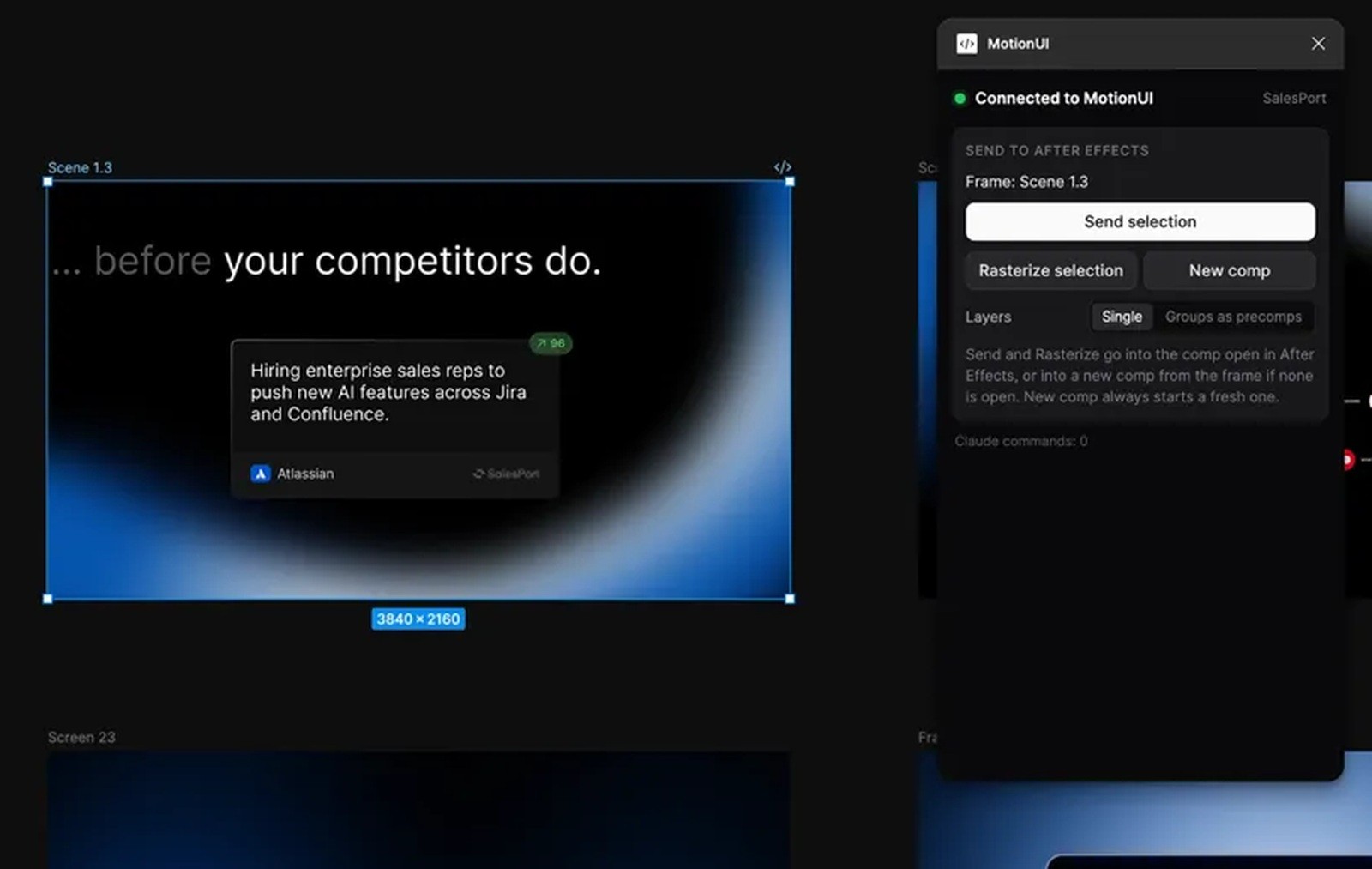
Design in Figma. Keep moving in After Effects.
Bring your components into the scene you want to animate, with supported layers ready to edit.

Direct the animation through Claude Code.
Describe the change you want and let Claude Code use MotionUI to make it in your After Effects or Premiere Pro project.

Make every interaction feel intentional.
Build cursor interactions that make the action easy to follow.

Give your interface a better rhythm.
Sequence your layers so each element arrives at the right moment.
Bring your Figma designs to life
01
Send just what you need
Transfer a selection into your open composition and continue where you left off.
02
Start with the right canvas
Create a new After Effects composition in the size of your Figma frame.
03
Keep the important parts editable
Work with supported text and vector layers directly in After Effects.
04
Keep complex artwork intact
Rasterize a selection when you want its exact appearance as a flat image.
05
Choose how your layers arrive
Use individual layers for control or keep groups together as precomps.
06
Find your imports again
Keep imported compositions and assets organised by Figma file and frame.
MotionUI or UXLink: the short answer
Choose MotionUI when you want to go from a Figma design to a finished UI animation in one toolkit. You get the import, animation tools and optional control through Claude Code and Codex. UXLink is an option when your main need is transferring Figma artwork into After Effects.
What makes MotionUI different?
Will my Figma layers stay editable?
Supported text and vector layers remain editable in After Effects. For complex artwork, you can rasterize a selection to preserve its appearance as an image.
Do I need to use AI?
What do I need to get started?
MotionUI runs on macOS and Windows. You need After Effects and the MotionUI Figma plugin for the import workflow. Figma import, AI controls and MotionUI for Premiere are included in MotionUI Pro. AI provider accounts are separate.
Your next animation starts here.

Bring your interface to life.
MotionUI